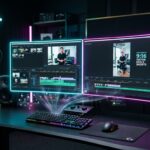
The year 2026 marks a historic inflection point for interactive entertainment and digital production: artificial intelligence has matured from an experimental novelty into the indispensable operational command center of every modern gaming and creator battlestation. Whether you build game mods, broadcast live to thousands on Twitch, or produce daily short-form video on YouTube, staying competitive now demands an orchestrated ecosystem of specialized AI tools—spanning offline neural models running on your local GPU to cinematic video generation pipelines.
Yet the torrential flood of brand-new engines, parameters, and cryptic acronyms creates more fatigue than clarity. Which platforms justify your time? When does a free tier suffice? When does local silicon completely outshine recurring cloud subscriptions? This Master 2026 AI Guide and Tool Compass synthesizes months of rigorous benchmark testing, interconnecting every dedicated tutorial across our AI research cluster into a seamless, high-performance blueprint.
The 360-Degree AI Cockpit: Every Creative Discipline at a Glance
Our editorial matrix pairs each creative domain with its top-ranked tool, optimal free route, and direct link to our comprehensive benchmark guide:
| Creative Discipline | Top Overall Recommendation | Best Free Option | Hardware Demands | Dedicated Benchmark Guide |
|---|---|---|---|---|
| 1. Text, Code & Logic | Claude 3.5 Sonnet & ChatGPT Plus | ChatGPT Free (GPT-4o mini) | Cloud / Browser | Comparison: Best AI Models 2026 |
| 2. AI Images & Concept Art | Midjourney v6 & FLUX.1 | Ideogram & Recraft (No Login) | Cloud / 12 GB GPU | Free AI Image Generators |
| 3. Prompt Reverse-Engineering | Multi-Vision Reverse Prompting | HuggingFace Clip Interrogator | Browser | Image-to-Prompt Generator Guide |
| 4. Image-to-Video Animation | Kling AI 1.5 & Runway Gen-3 | Kling AI (Daily Free Credits) | Cloud / Browser | Image-to-Video AI Guide |
| 5. 9:16 Vertical Viral Shorts | Kling AI & CapCut AI Suite | Kling AI + Luma Dream Machine | Cloud / Mobile | AI Videos for TikTok & Shorts |
| 6. 4K Video Upscaling | Topaz Video AI & Real-ESRGAN | Real-ESRGAN GUI & Free Trials | Dedicated Nvidia GPU | 4K AI Video Upscaler Benchmark |
| 7. Voice Cloning & Real-Time | ElevenLabs Professional | F5-TTS & RVC v2 (Open Source) | Nvidia GPU 6GB+ VRAM | AI Voice Cloning Guide |
| 8. Local Offline LLMs | Ollama & LM Studio (Llama 3.3) | 100% Free (Open Source) | RTX 3060 to RTX 4090 | Run AI Locally on PC Guide |
| 9. Hardware & VRAM Advisor | RTX 4070 Ti Super / RTX 3090 24GB | Used RTX 3090 (eBay) | Desktop PC | Best GPUs for AI & Gaming |
Pillar 1: Frontier Language Models – The Brain of Your Rig
The foundation of any modern production workflow starts with frontier language models. However, the one-size-fits-all era is officially over:
- For Coders, Modders & Writers: Anthropic’s Claude 3.5 Sonnet reigns as the unchallenged coding king, delivering architecturally sound GDScript, Unity C#, and OBS automation scripts with nuanced human-sounding prose.
- For Streamers & All-Rounders: OpenAI’s ChatGPT Plus provides unmatched ecosystem depth, combining low-latency Advanced Voice Mode for live broadcast co-hosting and o1 reasoning for brutal algorithmic logic.
- For Video Researchers & Analysts: Google Gemini 1.5 Pro leverages an extraordinary 2,000,000+ token context window to digest entire 2-hour gameplay VODs, pinpointing exact timestamps and bug occurrences.
Read our full laboratory stress test: Best AI Model 2026: ChatGPT vs Claude vs Gemini Compared.
Pillar 2: Visual Media – From Keyframe Concept to 4K Motion
Asset creation has accelerated tenfold. Where creators once spent days masking Photoshop layers, modern generative diffusion and flow-matching models deliver production-ready visuals in seconds:
- Frictionless Art Generation: Platforms like Ideogram and Recraft produce stunning concept art directly in your browser without requiring credit cards or signups. Discover the top platforms in our guide to free AI image generators with no signup.
- Deconstructing Visual Styles: Extract exact prompt weights and lighting keywords from any reference image with our image to prompt generator tutorial.
- Adding Fluid Motion: Using Kling AI 1.5 and Runway Gen-3 Alpha, transform static key art into cinematic dynamic sequences following our proven image-to-video AI workflow.
- Viral Short-Form Video: Stitch together viral 9:16 mobile clips with our complete blueprint for creating AI videos for TikTok, Reels, and Shorts.
- High-Resolution Remastering: Polish compressed renders to pristine 4K fidelity using our tested free 4K AI video upscaler.
Pillar 3: Audio & Voice Synthesis – Replicating Your Vocal Brand
Voice cloning has crossed the uncanny valley, providing creators with exponential production leverage:
Use ElevenLabs for broadcast-grade documentary narration, or deploy zero-shot open-source engines like F5-TTS to synthesize your voice 100% offline on your gaming graphics card. Live Twitch streamers can route RVC v2 directly into OBS Studio for ultra-low-latency real-time voice conversion. Learn microphone setup tips and YouTube monetization compliance in our full guide: How to Clone Your Voice with AI for Streamers and Creators.
Pillar 4: Hardware & Offline Sovereignty – Escaping Cloud Rent
The definitive paradigm shift in 2026 is local sovereignty. Powered by engines like Ollama and LM Studio, you can run state-of-the-art open-weights models like Llama 3.3 and Mistral completely offline on your desktop GPU—guaranteeing total privacy, zero censorship, and zero monthly fees.
Hardware selection dictates your success: specifically, your GPU’s VRAM (Video Memory) capacity determines whether models process with blazing speed or crash under memory paging. Access our hardware blueprints and real-world benchmarks below:
- Local AI Setup Guide: How to Run AI Locally on Your PC with a Gaming GPU.
- Hardware Buying Advice: Best GPUs for AI & Gaming in 2026: VRAM Guide & Benchmarks.
Hardware Guide: Best GPUs for AI & Gaming in 2026
Frequently Asked Questions (FAQ)
What is the single most essential AI tool for content creators in 2026?
A premier frontier language model—such as Claude 3.5 Sonnet or ChatGPT—serves as the indispensable foundation. It functions as your scriptwriter, research assistant, modding developer, and creative director, orchestrating all subsequent image, video, and audio workflows.
Do I need to pay for multiple subscriptions to build an effective AI stack?
No. Every creative discipline in 2026 offers viable free alternatives: ChatGPT Free for scripts, Ideogram for visual keyframes, Kling AI for daily video clips, and Ollama alongside F5-TTS for unlimited offline text and voice generation directly on your gaming PC.
What is the minimum GPU required to run local AI models smoothly?
A graphics card with at least 12 GB of VRAM (such as the Nvidia RTX 4070) represents the entry point for 8B models and basic image generation. However, 16 GB (RTX 4070 Ti Super) to 24 GB of VRAM (used RTX 3090) is the ideal sweet spot for demanding multi-modal workloads and 4K gaming.
Are AI-generated media assets monetizable on YouTube and TikTok?
Yes, as long as your content demonstrates genuine transformative value, informative commentary, or narrative entertainment, and you properly disclose synthetic media in YouTube Studio. Repetitive, low-effort spam lacking human editorial oversight is actively penalized by recommendation algorithms.
How frequently do AI tools and workflows become obsolete?
Underlying model checkpoints evolve every 3 to 6 months, but fundamental workflow architectures—such as image-to-video motion, zero-shot voice cloning, and local GGUF model execution—remain highly stable. Once you master the pipeline, swapping in newer checkpoints is seamless.