
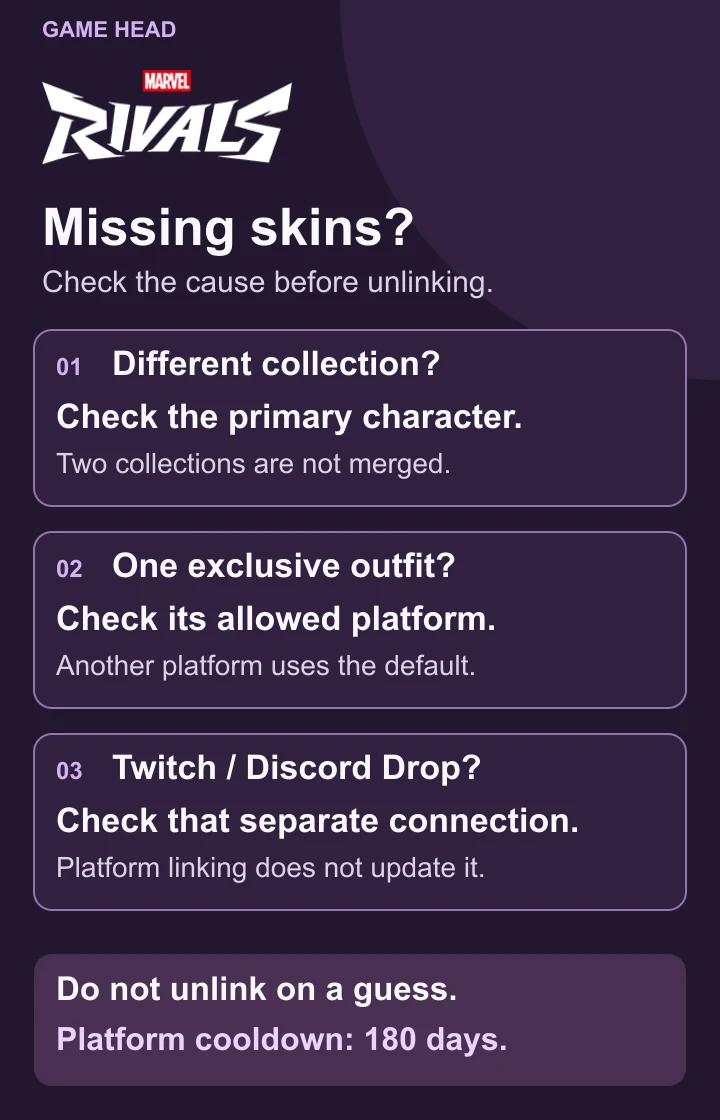
Missing Marvel Rivals skins after linking PC and console? Check which saved profile is selected as your primary character. Linking does not combine two collections. If just one platform-exclusive costume changes to the default outfit, check its platform restriction instead. Do not unlink accounts as a first troubleshooting step: that triggers a 180-day platform cooldown.
Start with what is actually missing
| What you see | Check first |
|---|---|
| Your collection looks like a different save | Which primary character is active. |
| One exclusive costume becomes the default | Whether that costume is allowed on this platform. |
| A Twitch or Discord reward is missing | The separate web connection and its linked character. |
| Skins are present, but your rank differs | The device-specific record in Career. |
Your primary character means your saved profile
Here, character means the profile holding your collection and progress, rather than the hero you pick for a match. The official account Q&A explains that linked logins use one selected primary character. Other characters remain stored; their collections are not added together.
For example, imagine your PC profile has the outfit you want, while your console profile holds a different collection. Selecting the console profile does not bring the PC outfit into that collection. Before changing anything, compare which profile owns the missing item.
- Open Settings → Other → Account → Account Binding.
- Inspect the connected accounts and the selected primary character. Compare it with the profile that owns the missing collection.
- If another stored character is the one you want to use, read the character-switch confirmation and cooldown before selecting it. Do not remove a platform connection just to switch profiles.
The Q&A uses both Account Binding and Account Linking for account management. Follow the account-management screen in your client; the English labels above are not a screenshot of every localized menu.
Only an exclusive costume is different
Platform-exclusive costumes can only be used on their designated platforms. On another platform, an equipped exclusive outfit displays as the default costume. Changing your primary character does not remove that restriction. Check the individual costume before assuming your entire collection failed to transfer.
A Twitch or Discord connection still points elsewhere
Platform linking does not automatically update character data in the game’s other web functions. Inspect the official Twitch or Discord connection separately and re-bind it if needed. Do not confuse reconnecting that reward service with unlinking your Steam, PlayStation or Xbox account. This does not guarantee that an expired or otherwise unearned reward will be granted.
Rank and cooldowns: two separate checks
PC, PlayStation and Xbox keep separate rank, battle data and leaderboard records under Career. A different rank on the second device therefore does not establish that your cosmetics or progress were deleted.
- Changing the primary character: other characters have a 30-minute cooldown before they can become primary.
- Unbinding: the account and related platform have a 180-day cooldown that restricts re-binding the same platform.
- PlayStation: after binding a PSN account, you cannot replace it with another PSN account. Check the PlayStation website login before authorizing a link.
Read the official cooldown and PlayStation notes before confirming a change. If the correct profile is active and a non-exclusive owned item is still absent, record its name, platform, affected profile and any error message for support. Keep purchase evidence private; do not post passwords or account recovery codes.
Tuning your PC controls after restoring your profile? Here is how to disable mouse acceleration in Marvel Rivals.
Questions about missing skins
Can I merge my PC and console skin collections?
No. Account linking selects one primary character. Data from separate characters is not merged.
Should I unlink my account to get a missing skin back?
Do not start there. Check the primary character, costume restrictions and any separate reward-service connection first. Unbinding triggers a 180-day platform cooldown.
Is a lower rank on PC proof my console save was lost?
No. PC, PlayStation and Xbox keep separate competitive records even when their linked logins use the same primary character.


