
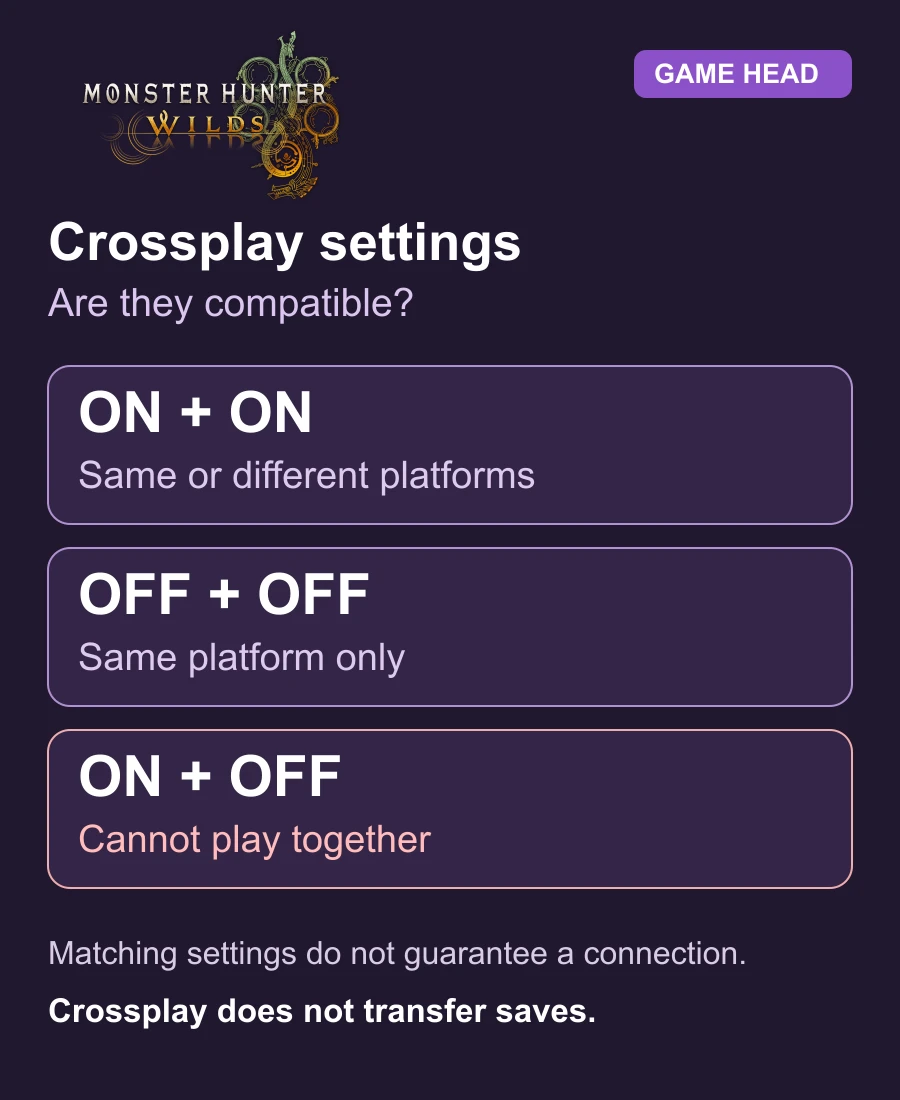
If you cannot match with a friend in Monster Hunter Wilds, compare Crossplay on both title screens—even on the same platform. One player with it on and another with it off cannot play together. Capcom confirms this in its same-platform matchmaking help.
Check the setting before changing your setup
For Steam, PS5 and Xbox Series X|S, Capcom’s Crossplay support confirms multiplayer between available platforms. It does not mean the game merges your saves or that every invitation will succeed.
- Return to the title screen before loading your hunter.
- Open Options → Game Settings → Crossplay and compare the setting with your friend. For different platforms, both players need it enabled.
- Load your hunters again and try the invitation after aligning the settings.
Use the title screen, not the options menu after loading a save. The official multiplayer manual explains that distinction.
Which check fits your problem?
| Situation | Check next |
|---|---|
| Different platforms | Enable Crossplay for everyone. |
| Same platform, different settings | Align on/off settings on both sides. |
| Group works, one quest is missing | Check that quest’s Platform Permissions. |
| Squad unavailable after changing Crossplay | Compare your setting with the squad’s setting. |
Quest Counter Platform Permissions can restrict a quest or SOS search to your own platform even when Crossplay is on. A squad keeps the Crossplay setting used when it was created; changing yours can make it unavailable until the settings match again.
Choose a Link Party or shared environment
A Link Party keeps up to four hunters together across quests, including hunters in different lobbies. Open Start Menu → Communication → Link Party → Invite to Link Party and choose your friend from the available lists.
For exploring the same environment, use Invite All to Environment Link from the Link Party menu. Story progress can temporarily make that option unavailable, and you cannot start an Environment Link during a quest. A missing environment invitation is therefore not automatically a Crossplay failure.
Crossplay does not move your hunter
Capcom says save data cannot be shared between platforms. Buying another platform’s version is not a way to continue with the same hunter. Keep that separate from inviting a friend who owns a different version.
Frequently asked questions
Can two players on the same platform have incompatible Crossplay settings?
Yes. If one has Crossplay on and the other has it off, they cannot play together even on the same platform.
Does Crossplay let me move my PS5 hunter to Steam?
No. Crossplay connects players; Capcom says save data cannot be shared between different platforms.