
If Pokémon TCG Pocket will not let you trade, first identify where it stops. A friend you cannot select needs different checks from a card missing in an offer. For a new player, trading unlocks 14 days after starting the game; leveling up is not a substitute for that waiting period.
Choose the problem you actually have
| What you see | Check first |
|---|---|
| Your friend cannot receive the offer | Friendship, account age, an active trade and incoming-offer settings. |
| Trading opens, but a card is missing | The current eligible-card list and the conditions of this particular offer. |
| The Trade button is gray | Eligibility first; temporary service suspension is another possible cause. |
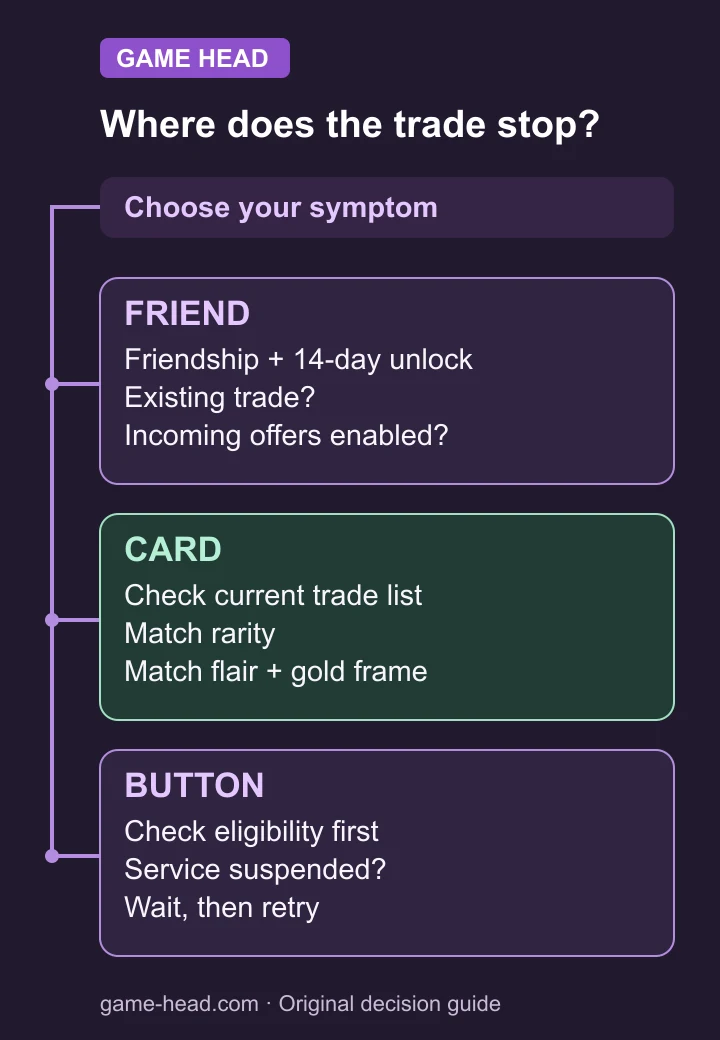
You cannot offer a trade to your friend
According to the official friend-trading help, a partner may already be trading, have offers disabled or still be inside the 14-day unlock period. Trading is friends-only. Ask your partner which of those checks fails before trying a different card.
Check your own active trade too: only one can be active at a time. If you decide to cancel one, first confirm that it is the offer you intend to abandon. Starting a second conversation with another friend does not create a second trade slot.
There is an important direction to the setting: suspending incoming offers still allows you to send offers. For example, if you can send but your friend cannot send to you, inspect your incoming-offer setting. In English, the documented path is Menu → Other → Settings → Trade → Suspend Trade Offers.
The card exists in your collection but cannot be selected
Start with the current eligible-card list: Social Hub → Trade → ? → Detailed trade list. Look up the exact card you want to send. A card being on somebody’s wishlist does not establish that it can be traded.
- Then compare its rarity with the card offered to you.
- Check whether the offer uses flair; the matching card must also have flair.
- Check gold frames in the same way; both cards must have one.
These are the selection rules documented by support. An owned card and an eligible response to one particular offer are different things. Compare one candidate card against that offer before assuming your collection is broken.
Read the resource amount shown for this trade
The shinedust help directs you to Social Hub → Trade → ? → About trade rules. The amount depends on rarity and is displayed for the trade. Read that amount and your available resources before confirming; a launch-era trade-token table is not a current price check.
The Trade button is grayed out
Support documents temporary suspension when trading is overloaded. Wait and retry if that is the problem. A gray button alone does not confirm a live outage, so first rule out the account and offer conditions above.
When asking for help, note the exact message, whether you can select the friend, and whether the card appears in the detailed list. Those observations identify the failed stage much better than “trading does not work.”
Questions about missing trades
Can I unlock trading just by reaching a higher level?
The current support requirement is 14 days after starting the game. Do not use an old level-only checklist in place of that requirement.
Does a wishlisted card have to be tradeable?
No. Check that exact card in the in-game Detailed trade list, then compare the offer’s rarity, flair and frame conditions.