
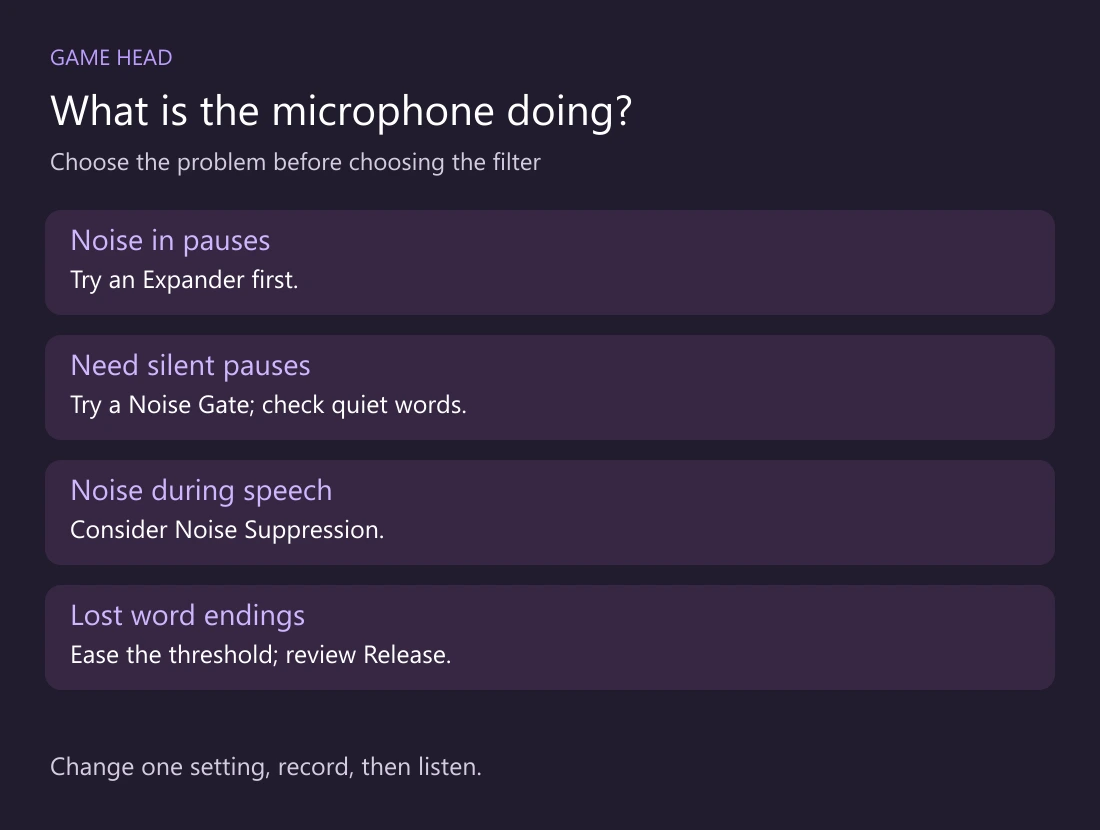
Start with an Expander if you want quieter pauses with a gentler transition into speech. Choose a Noise Gate when you need the microphone to close between sentences. If keys remain audible while you talk, raising either threshold further can cost you words without solving that problem.
What each filter changes
| Filter | Useful for | Watch for |
|---|---|---|
| Expander | Turning quiet input down instead of an abrupt cut | Quiet speech below its threshold is reduced too. |
| Noise Gate | Closing the microphone during pauses | A high opening threshold can miss a soft first word. |
| Noise Suppression | Reducing mild ongoing background noise | Stronger processing can affect your voice. |
The OBS Expander works below a level threshold. The Noise Gate opens and closes around configured levels. For noise that continues under your speech, look at Noise Suppression rather than treating a gate as a keyboard detector.
Set an Expander from your own microphone
- In the Audio Mixer, open Filters for the microphone source and add Expander. Check that you are editing the microphone, not desktop audio.
- Keep your normal distance. Listen to a pause, a normal sentence and a deliberately quiet sentence. Move the Threshold only far enough to reduce the pause noise.
- Start with gentle reduction. The official guide uses 2:1 as a light Ratio example and recommends RMS detection. Treat those as starting points, not a finished preset.
- For timing, OBS suggests Attack around 5–10 ms and Release around 50–120 ms. Record a short phrase after changing a value; keep it only if the beginnings and endings remain understandable.
Ratio controls the strength of the reduction. RMS uses an averaged level rather than each brief peak. Attack sets how quickly the filter opens; Release sets how quickly reduction returns.
If you choose a Noise Gate
Set Close Threshold above the background-noise level and Open Threshold below your voice. The opening threshold should be higher than the closing threshold. Do not copy another streamer’s decibel values without comparing your own input.
If the first word disappears, lower the opening threshold and listen again. If a sentence tail cuts off, try a lower closing threshold or more Hold/Release time. If those changes let the unwanted sound through again, a gentler Expander may suit that recording better.
A two-minute listening check
- Record ten seconds without speaking, then a normal sentence.
- Repeat the sentence softly and let its final word trail off naturally.
- Type while speaking and then during a pause. Compare those two cases.
- Listen with headphones. Change one setting and repeat the same phrases.
A quiet pause is not a useful improvement if the listener loses the last half of a sentence. If your recording is meant for later editing, keep a separate original test before settling on stronger processing.
Need separate game, microphone and Discord files? Use our OBS audio-track guide alongside this filter check.