
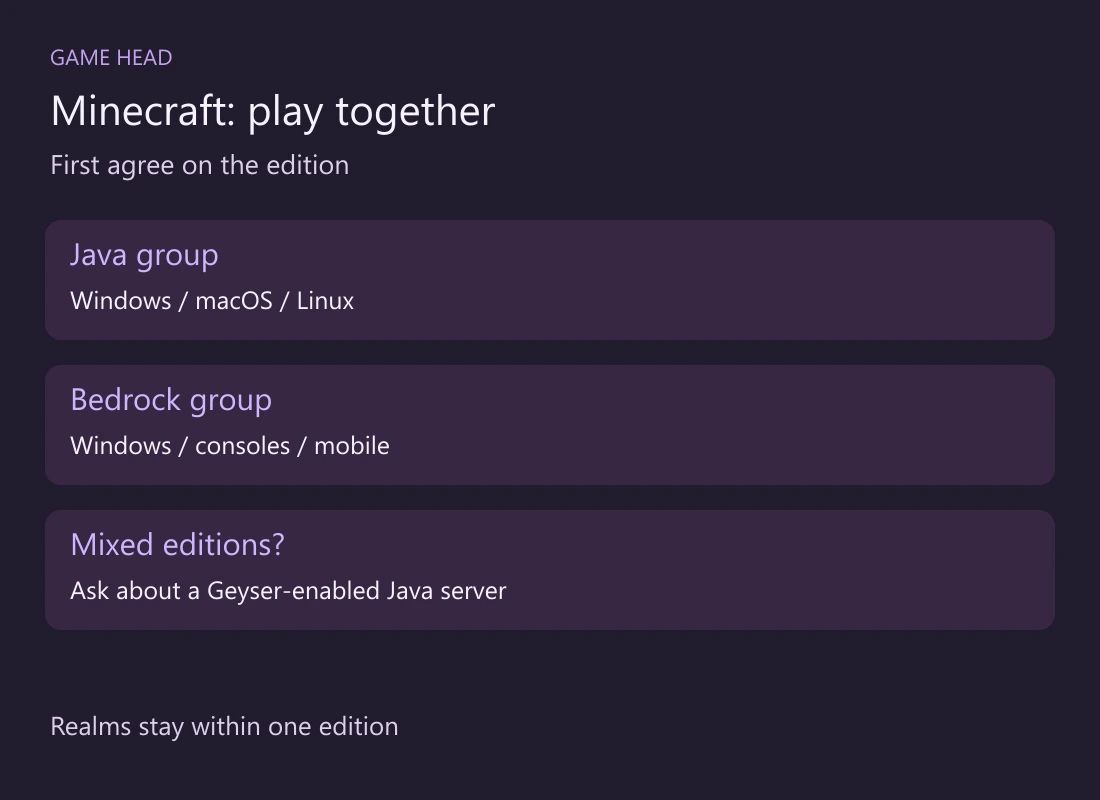
Java and Bedrock do not connect directly through normal multiplayer. For a group using Windows PCs, consoles or phones, choose Bedrock together. A Java-only group can play across Windows, macOS and Linux. Check the edition your friends actually launch before buying another copy.
Choose around your group
Minecraft’s Realms overview separates Java and Bedrock players. Use the same distinction when planning your session:
| Your group | Choose | Check |
|---|---|---|
| Windows PC + console or phone | Bedrock | The PC player must launch Bedrock too |
| Windows + Mac or Linux | Java | Everyone needs the Java edition |
| Two Windows PCs | Agree on Java or Bedrock | Owning both is not the same as launching the same one |
| An existing Realm | Match the Realm’s edition | Java Realm or Bedrock Realm? |
On Windows, the Java & Bedrock bundle gives access to both editions. You still choose which one to launch; Mojang’s edition guide explains the split. Sending the same invitation again will not turn one edition into the other.
A Realm keeps the edition boundary
A Realm is a hosted multiplayer world. Realms crossplay stays within the same edition: a Java Realm is for Java players, and a Bedrock Realm is for Bedrock players. If your friend already owns a Realm, ask which kind before choosing your game. Paying for another subscription is not the first troubleshooting step.
Where Geyser fits
Geyser is a separate community project that lets Bedrock clients join a Java server. It provides a different route when your group needs both editions. Ask the server operator whether Geyser is configured and which client versions they support.
The direction matters: Geyser does not let Java clients join a Bedrock server. Treat “our server supports crossplay” as something to confirm with its operator, not a feature of every Minecraft world. For a new group with compatible devices, agreeing on one edition is the simpler starting point.
If the edition matches but joining still fails
- Send the host your edition, full version number and exact error message. “I have Minecraft” leaves the important part unanswered.
- For an ordinary server, compare your version with the server’s required version. If you launched a snapshot or Preview, check whether the server expects a regular release.
- Follow that server’s joining instructions. On a Geyser server, ask for the Bedrock connection details rather than guessing from the Java address.
Mojang’s server guide explains matching the game and server versions; Geyser operators should follow their project’s current compatibility documentation. Once the edition is settled, you can investigate the actual connection error instead of changing several unrelated settings.