
If Honkai: Star Rail starts from the beginning on another device, check the account, login method and server before changing a PSN link. The same email address does not prove that Google sign-in and email/password open the same account.
Compare both devices first
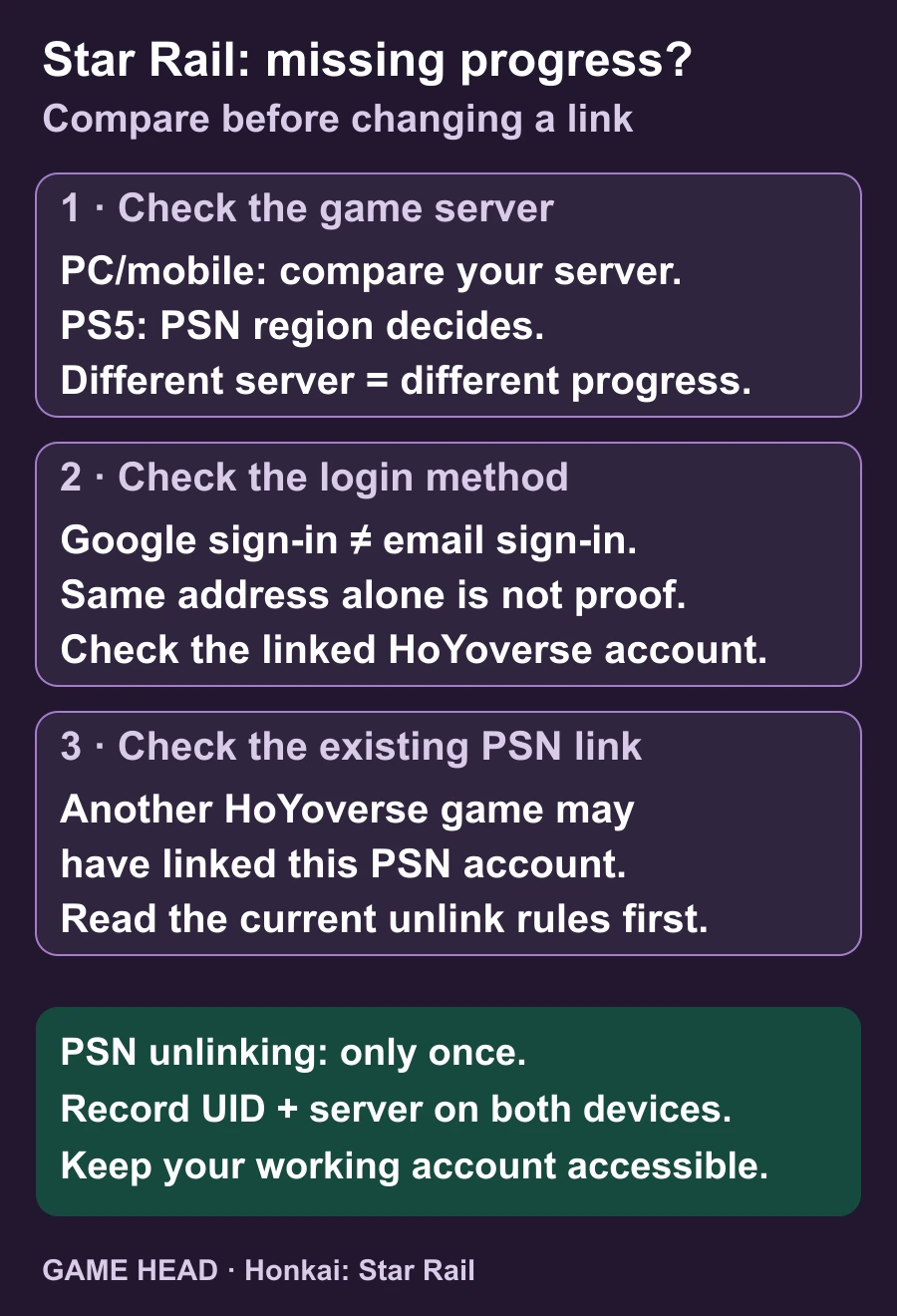
Use the device that still shows your character as the reference. HoYoverse’s missing-progress help separates server checks from account checks.
- On the device showing your usual character, note the UID and selected server. Record the actual sign-in method, such as Google or email/password.
- On the device with missing progress, compare the server first. On PS5, check the PSN account region because it determines the game server.
- Open Settings, Account and User Center to inspect the linked HoYoverse account. Compare that account with the one used by your usual character.
- Choose the next action from the mismatch you found. If you cannot identify the correct account, keep the working login and contact official support before unlinking anything.
| Record this | Compare on both devices |
|---|---|
| Character and UID | Is this your usual character or a new beginning? Note each UID privately. |
| Server | Record the PC/mobile selection and the PS5 account region. |
| Login method | Write Google, Apple, Game Center or email/password—not just the address. |
| Linked account | Check the HoYoverse account shown in User Center. |
Where to find the PSN account region
Open PlayStation Account Management in a browser. Under Your Information, open the edit view beside Residential Address; the country/region appears at the bottom. Sony’s country-check instructions also confirm that an existing account’s country/region cannot be changed. Viewing this field is a check, not a server transfer.
Same Gmail address, different account?
A Google button and an email/password field are separate routes. HoYoverse explains that they match only when linked to the same account. If your phone uses Google but your PC uses email/password, check the account link before treating the missing character as lost progress.
PS5 skips the account choice
A PSN account previously used with a HoYoverse game may already be linked. Star Rail can then use that existing connection automatically. The official Star Rail FAQ explains this case; a missing prompt alone does not prove a bug.
Before your first PS5 login with an existing PC/mobile character, check Settings → Account → User Center on the device that still has your character: the correct HoYoverse account must have an email linked. Then choose the existing-account option on PS5 and use that linked login. The PSN region must match the character’s server; linking will not move a character from America to Europe.
You started on PS5 and want to play on PC or mobile
Use the PS5 account that actually shows your character. In User Center, follow the account’s email-linking instructions, then use that linked login on the other device. HoYoverse’s linking help describes this direction. Keep the same game server.
The PSN link is genuinely wrong
Do not use unlinking as a trial-and-error fix. HoYoverse says PSN unlinking is possible only once. Confirm which account owns your progress and check the current official steps before proceeding. If you already used that option or cannot identify the account, use the Help Center’s support route.
Cross-save works between PC, Android, iOS and PlayStation through the same HoYoverse account, as listed in the cross-platform synchronization help. If the correct account and server still show different progress, give official support the affected platforms, server, UID and exact error. Never include your password.
Questions about missing Star Rail progress
Does using the same Gmail address guarantee the same save?
No. Google sign-in and email/password can access different HoYoverse accounts unless those methods are linked to the same one.
Can I transfer an America-server character to Europe by linking PSN?
No. The official game FAQ separates progress by server. PS5 uses the server assigned to the PSN region.
Can I keep unlinking PSN until the right character appears?
No. HoYoverse currently permits PSN unlinking only once. Identify the correct account and read the official procedure first.