
If you can visit a friend in Pokémon Pokopia but cannot build, check the area and Spectator Mode first. For ordinary visits, the host needs to use Palette Town and turn that mode off to allow shared building. GameShare guests have further limits: they cannot craft or use the PC.
Choose by consoles and game copies
| Your group | Connection to use |
|---|---|
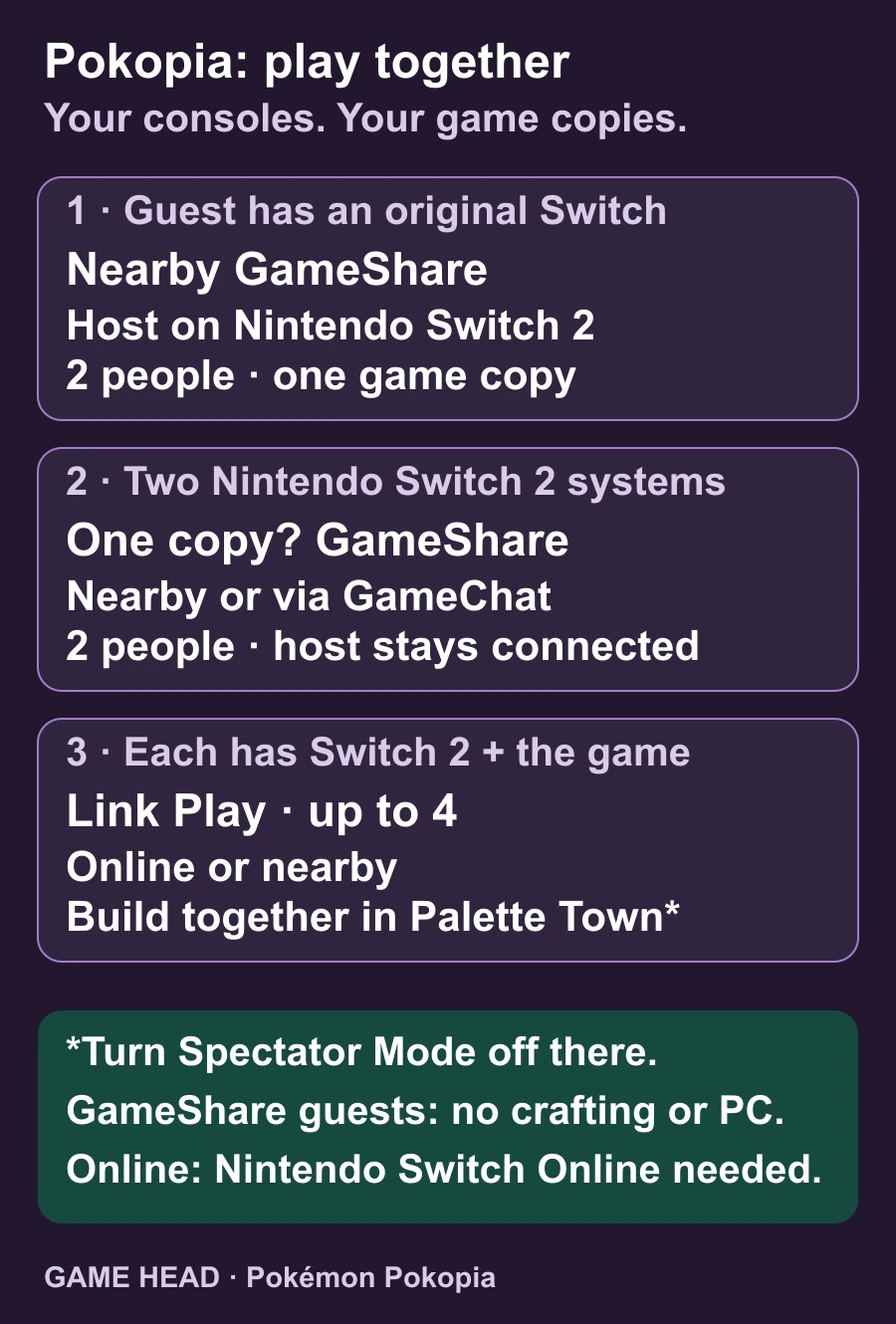
| A guest has an original Nintendo Switch | Nearby GameShare from a Switch 2 host; two people with one copy. |
| Two Switch 2 systems, one game copy | GameShare nearby or through GameChat; two people. |
| Each player has a Switch 2 and a copy | Regular local wireless or online Link Play; up to four people. |
Pokopia itself is a Switch 2 game; Nintendo distinguishes regular multiplayer from GameShare. A shared session does not give the guest a permanent copy. Online play, including GameChat, requires internet access and Nintendo Switch Online.
Join with your own copy online
First unlock Link Play at a Pokémon Center PC by progressing to Environment Level 2. Nintendo’s multiplayer instructions list separate host and guest actions:
- On the host’s PC, open Link Play and choose Invite Others to Visit.
- Choose Online Connection, check the player limit and confirm the session settings with the + Button.
- Share the Link Code. On the guest’s PC, choose Link Play, Visit a Friend and Online Connection, then enter that code.
- The guest checks the displayed destination and confirms Yes to join.
You joined, but building is blocked
A visit to an ordinary story town keeps actions restricted. Move the group to Palette Town and have the host turn Spectator Mode off at its PC. If you renamed that area, use your chosen name. The official Pokémon guide explains that this setting controls what visitors—and the host—can do during the visit.
If Palette Town is not available yet, complete the habitat that attracts Hitmonchan, then its request to learn Rock Smash. Nintendo’s entry requirements recommend progressing further and learning more moves before you travel there.
With GameShare, the shared area is limited to Palette Town. The guest can help reshape terrain but cannot craft items or operate the PC. That restriction does not mean the connection failed. For remote GameShare, both people need Switch 2 systems and GameChat; an original Switch guest can only join nearby.
Want a shared project when the owner is away?
Consider a Cloud Island rather than an ordinary town visit. It is a separate online building area that people can return to without its owner being present. Nintendo’s mode overview distinguishes it from a host inviting guests into their town.
Still unable to join or finish building?
When playing with separate copies, check that everyone has the same current game version. From the HOME Menu, highlight Pokopia, press + or − and open Software Update. Nintendo’s update history also records fixes for specific multiplayer construction problems. Correct permissions and matching versions are separate checks; neither guarantees that every remaining error is resolved.
If the problem remains, note the exact error code, connection method and action that fails. That makes it easier to follow the relevant Nintendo support instructions instead of repeatedly changing unrelated settings.
Questions about GameShare and building
Can three or four people use one copy through GameShare?
No. Pokopia GameShare supports two participants. The four-person option uses separate compatible systems and game copies.
Can an original Nintendo Switch join remotely?
Not through Pokopia GameShare. An original Switch can receive a nearby session from a Switch 2 host; remote sharing through GameChat requires Switch 2 systems.
Why can a GameShare guest change terrain but not craft?
Those are different permissions. GameShare guests can assist with terrain changes, but crafting and PC use remain unavailable to them.