
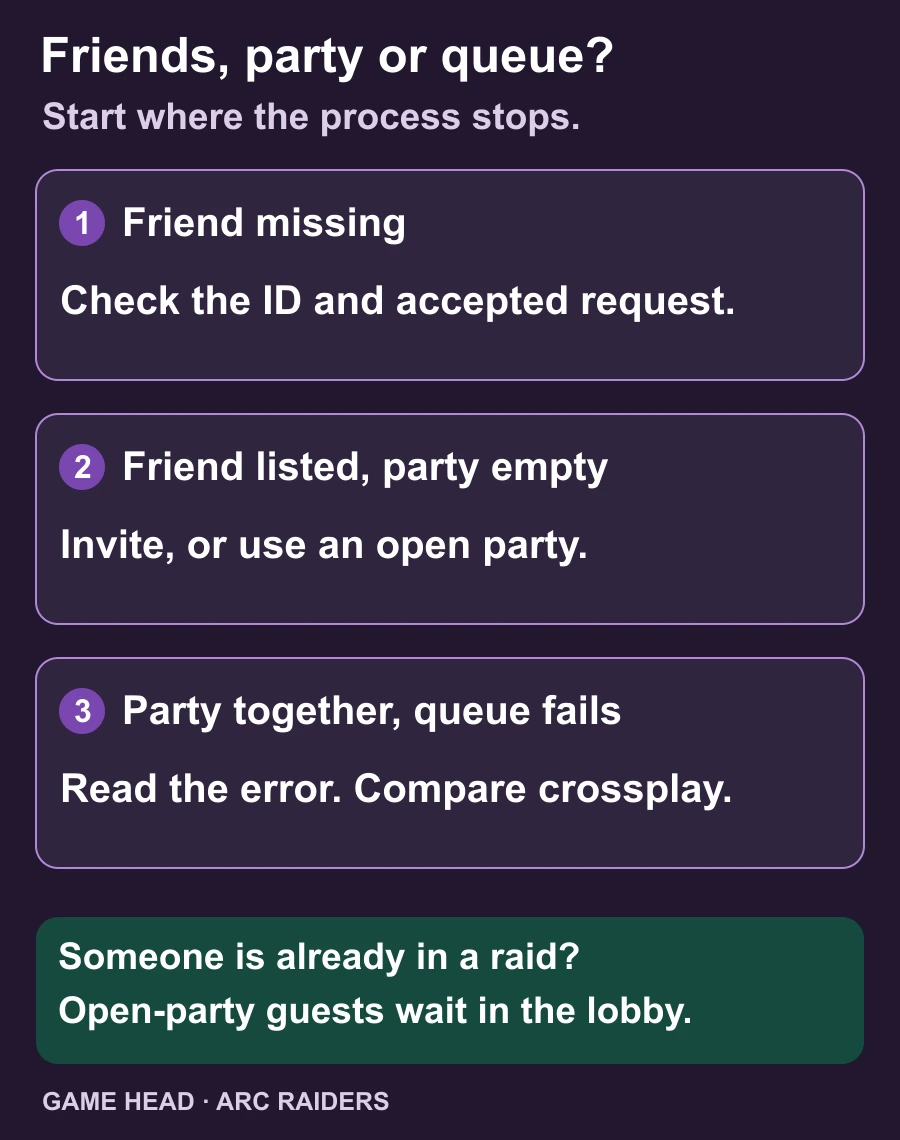
In ARC Raiders, a friend request and a party invitation are two different steps. Add the Embark ID, let your friend accept, then invite them into the party. An open party is another way to join. If everyone is already in the party but the queue fails, compare each member’s Crossplay setting and read the displayed error.
Add a friend, then invite them to the party
Embark’s friends guide describes this invitation route. These are its English menu labels; placement and wording can differ with language or later updates.
- In the lobby, open Social → Friends → Add Friend. Enter your friend’s Embark ID.
- Have your friend accept the request. Check that they appear in your friends list.
- Back in the lobby, select the + above Play, choose the friend and send a party invite.
- Have them accept that separate invitation. Check the party before starting the next round.
Join an open party instead
If your friend wants people to join directly, use the open-party option described in the Headwinds patch notes. Embark and platform friends can join that party. If a member is already in a round, the newcomer waits in the lobby for the next match.
That waiting room is the important distinction: joining the party does not drop you into a raid already underway. The same update added an option for squadmates, as well as the party leader, to invite others. If an invitation is unavailable, compare those party options before sending another friend request.
The party exists, but matchmaking fails
Start with the message on screen. Embark’s queue-error update specifically describes clearer explanations for being offline or having incompatible Crossplay settings. An error about one of those conditions is more useful than trying unrelated settings.
- Compare Crossplay on every account. The most restrictive member’s choice governs the party queue. Your own switch can be on while the party still queues with Crossplay off. For a group spanning platforms, compare the whole group’s settings.
- Check automatic server selection. Embark’s PC route is the bottom-right gear → Gameplay → Server → Automatic. On console, open Social first, then the gear on the left → Gameplay → Server → Automatic.
If matchmaking fails or only standard maps are available while map conditions are missing, the same support page also points to device-clock synchronization. Use its linked instructions for your device. This is a separate check, not a reason to redo a correctly accepted friend request.
Want to record the next raid? If the game appears black in the recording, our OBS Game Capture guide covers that recording problem.
Questions about ARC Raiders parties
Does accepting a friend request also join the party?
No. It adds the player to the friends list. To enter the party, accept a separate party invitation or use the documented open-party option.
Can I join a friend who is already in a raid?
An open party allows friends to join the party and wait in the lobby for the next match. That does not put a new guest into the ongoing raid.
Why does the party queue with Crossplay off when mine is on?
The most restrictive member’s setting applies to the party. Check every member’s Crossplay setting; changing only the inviter’s setting may not change the party’s queue.